
Put the app on your home screen
It takes 30 seconds. Then the app opens in one tap, full screen, and you can get class and homework reminders.
1 minute · iPhone first, Android from 0:34
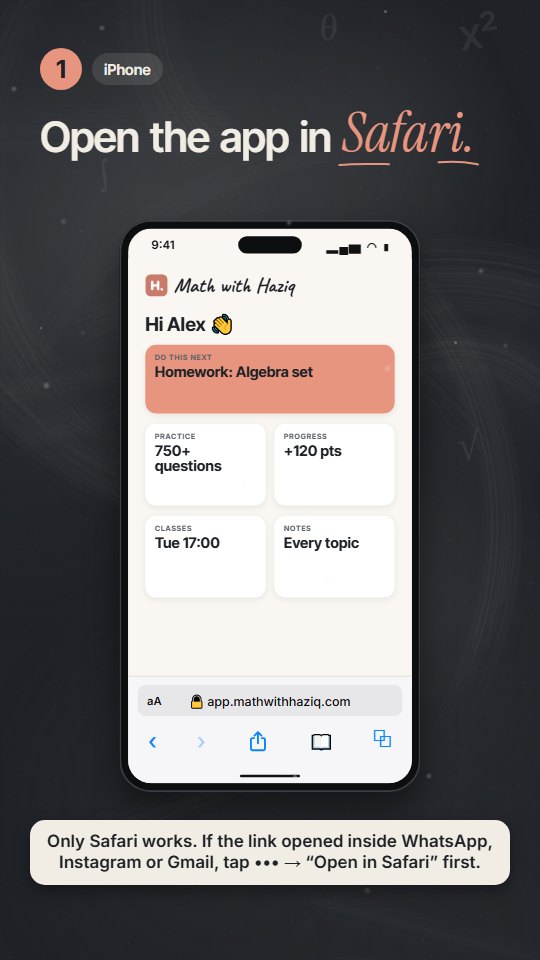
Open the app in Safari
Go to app.mathwithhaziq.com in Safari (the blue compass). It only works in Safari. If you opened the link from WhatsApp, Instagram, Gmail or Chrome, tap ••• or the share button and choose Open in Safari first.
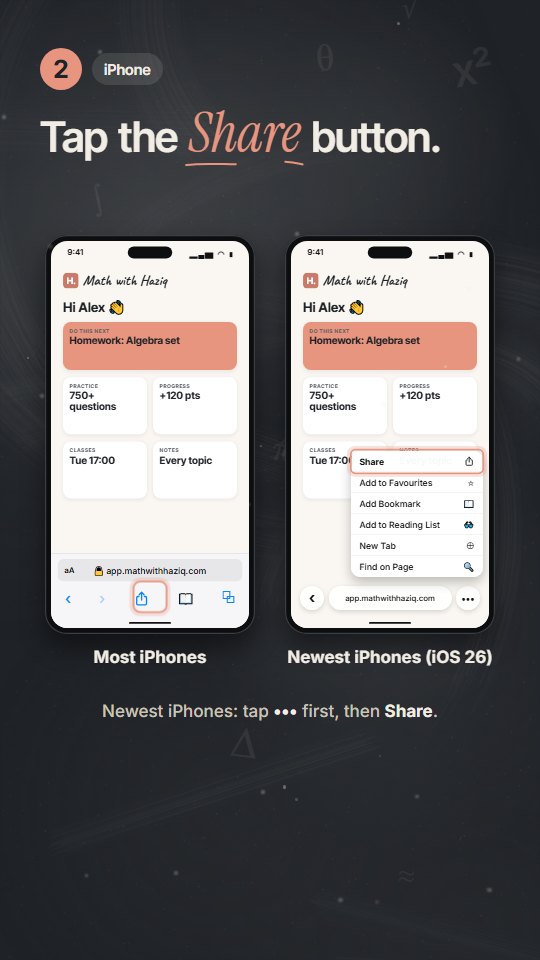
Tap the Share button
It's the square with an arrow pointing up, at the bottom of the screen. On the newest iPhones (iOS 26) tap ••• in the bottom-right corner first, then Share.
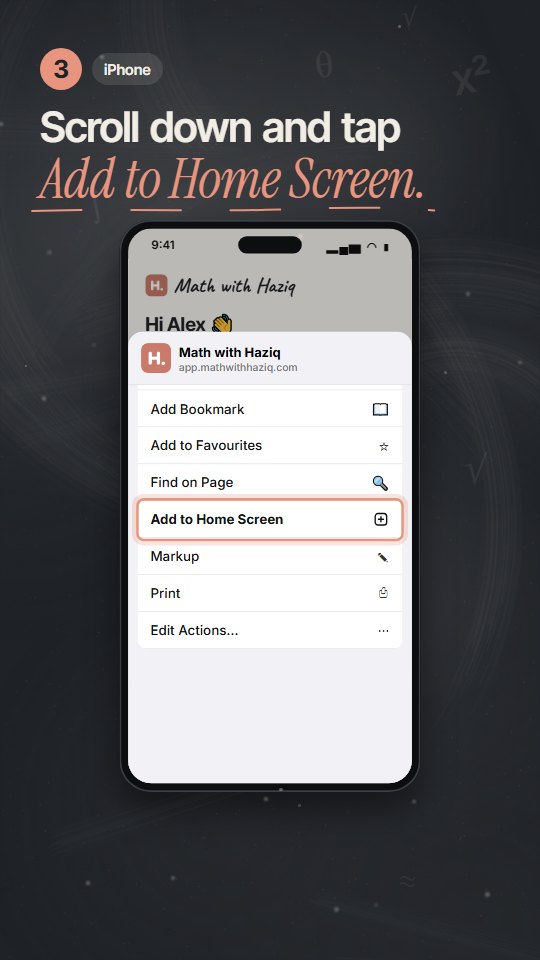
Scroll down and tap “Add to Home Screen”
Swipe the list up until you see Add to Home Screen (a square with a +). Not there? Tap Edit Actions… at the very bottom and add it.
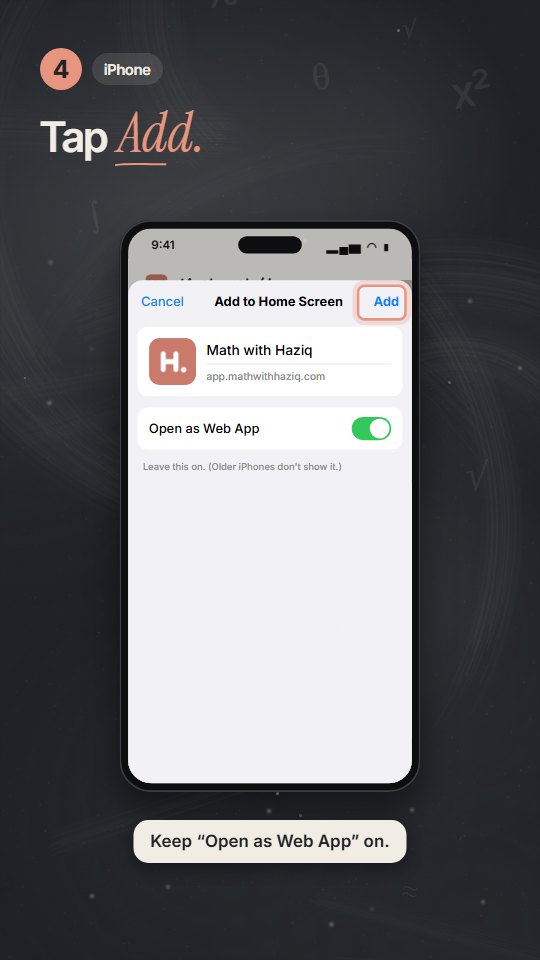
Tap “Add”
Top-right corner. If you see Open as Web App, leave it switched on (older iPhones don't show it).
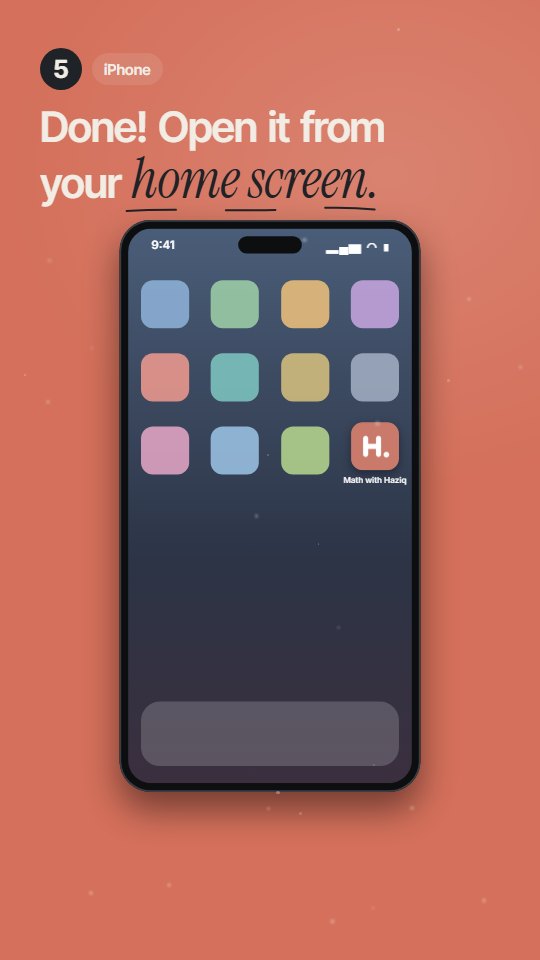
Done: open it from your home screen
The Math with Haziq icon is on your home screen. Always open the app from there, not from Safari.
Then turn on notifications
Open the app from your home screen, tap Me, then Enable next to notifications. You'll get class and homework reminders. On iPhone this only works once the app is on your home screen.
If something looks different
I can't find “Add to Home Screen” on my iPhone
Check you're in Safari, not Chrome or another app. In the share list, scroll all the way down; if it's still missing, tap Edit Actions… and add it.
The app opens with an address bar at the top
You opened it from Safari or Chrome instead of the home-screen icon. Close it and tap the Math with Haziq icon on your home screen. Still there? Delete the icon and add it again, with Open as Web App switched on.
On a computer
In Chrome or Edge, click the install icon at the right of the address bar (a screen with a down arrow), or open the browser menu and choose Install Math with Haziq. On a Mac with Safari: File → Add to Dock.
Still stuck? Send me a message on WhatsApp and we'll do it together.